Dashboard
The Dashboard is the central hub of the Gorilla Portal, providing a comprehensive overview of your 1Password data. It consists of several key sections that allow you to monitor and manage various aspects of your organization's security posture.
Dashboard Overview
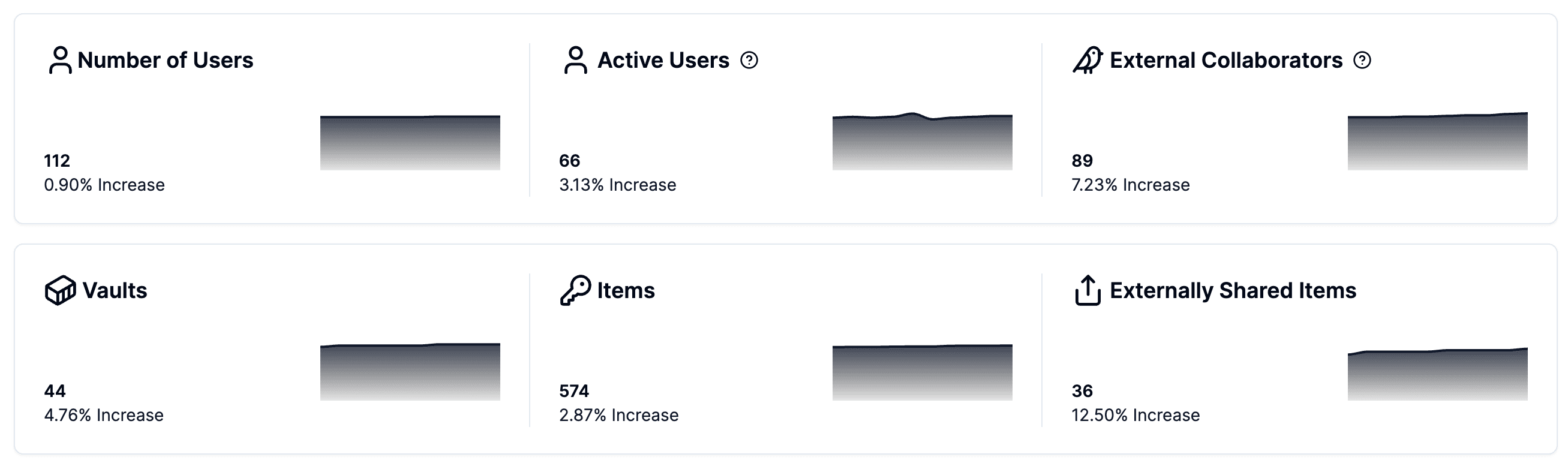
The main Dashboard screen provides a high-level overview of critical metrics and insights:
- Number of Users: Total number of users in the system, with a percentage increase or decrease.
- Active Users: Number of users actively using the system, with a percentage increase or decrease.
- External Collaborators: Count of external collaborators, with a percentage increase or decrease.
- Vaults: Total number of vaults, with a percentage increase or decrease.
- Items: Total number of items stored in the vaults, with a percentage increase or decrease.
- Externally Shared Items: Number of items shared externally, with a percentage increase or decrease.
Detailed Insights
The Dashboard also includes detailed insights into user and data activity:
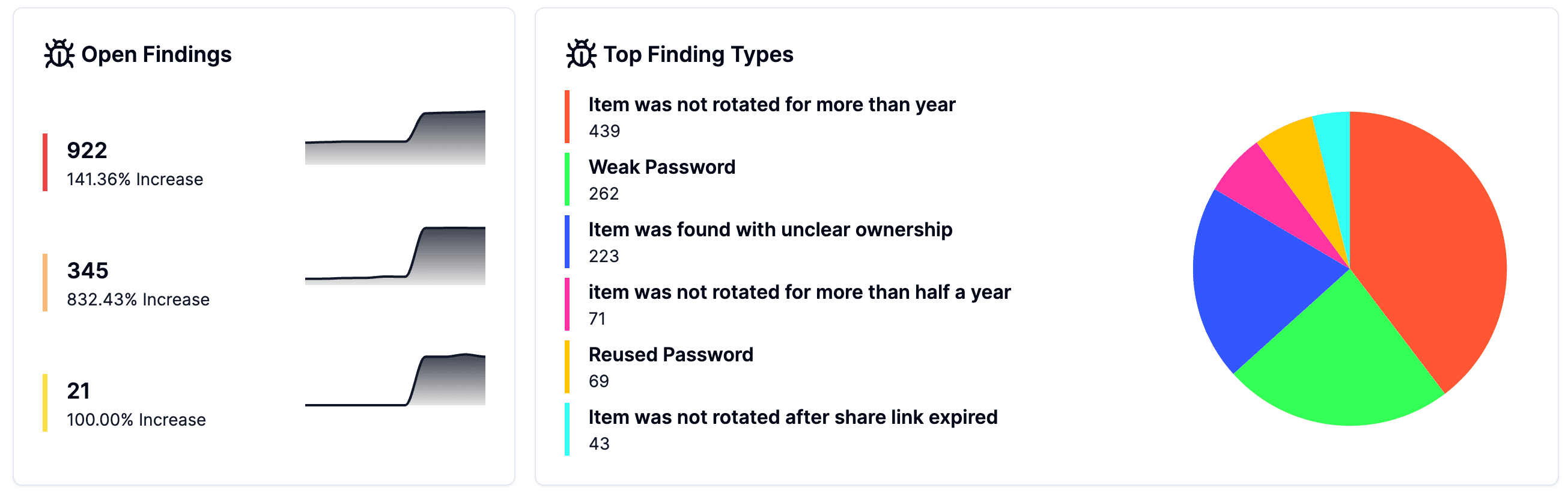
- Open Findings: Count of open security findings, with a percentage increase or decrease.
- Top Finding Types: Breakdown of the most common types of findings, such as items not rotated for over a year, weak passwords, unclear item ownership, etc.
- Most Active Users: A pie chart showing the users with the highest activity levels.
- Most Accessed Vaults: A pie chart displaying the vaults with the most access.
- Most Accessed Items: A list of items with the highest access frequency.
These insights help administrators quickly identify potential security issues and understand usage patterns within their organization.