Findings Page
Overview
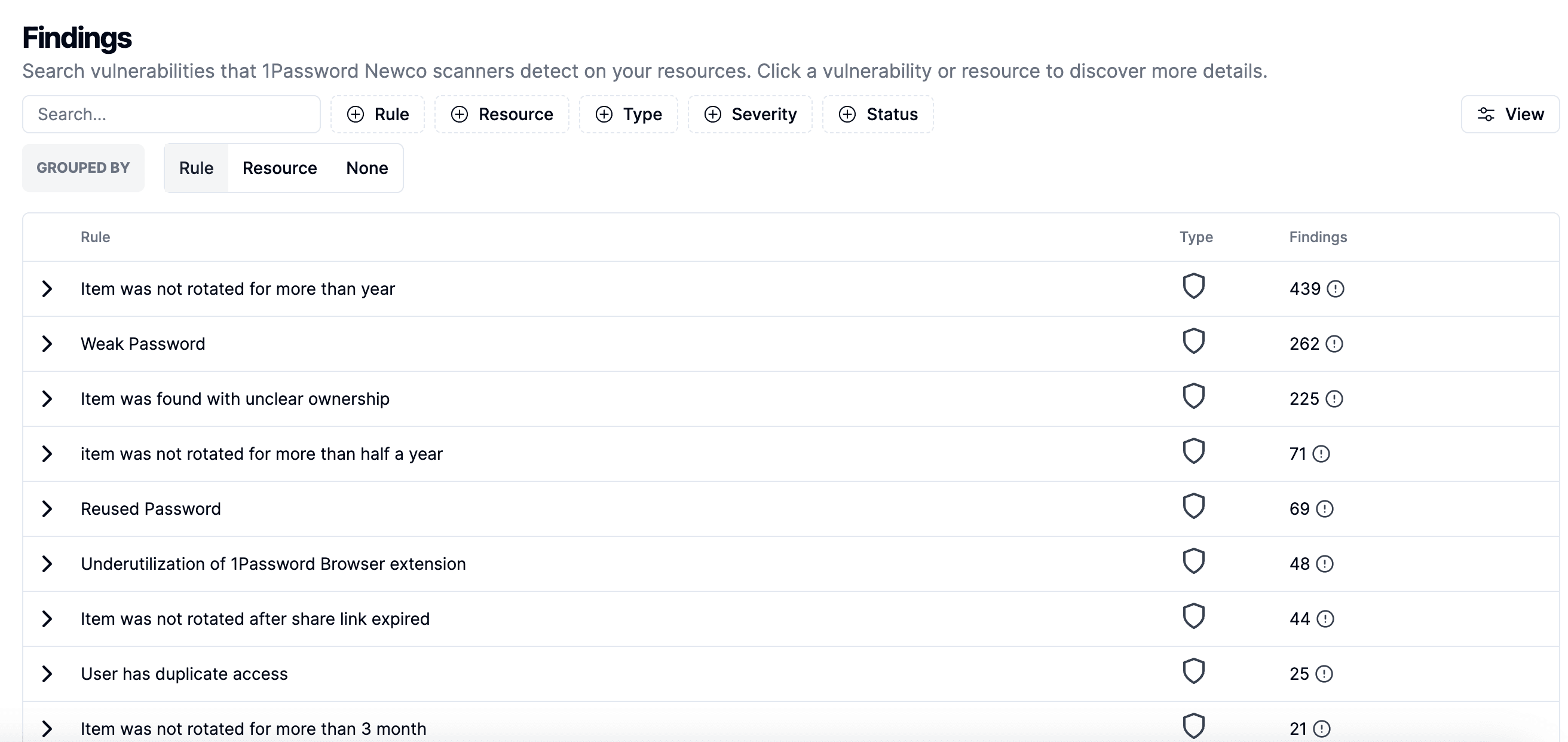
The Findings page provides a detailed list of vulnerabilities and issues detected by Gorilla scanners on your resources. This page helps you monitor and manage security findings effectively, ensuring that potential risks are addressed promptly.
Table Overview
The table lists various findings detected by the Gorilla scanners, categorized by rule, type, and the number of occurrences. Each finding is grouped by specific rules or vulnerabilities identified in your 1Password system.
Detailed Finding View
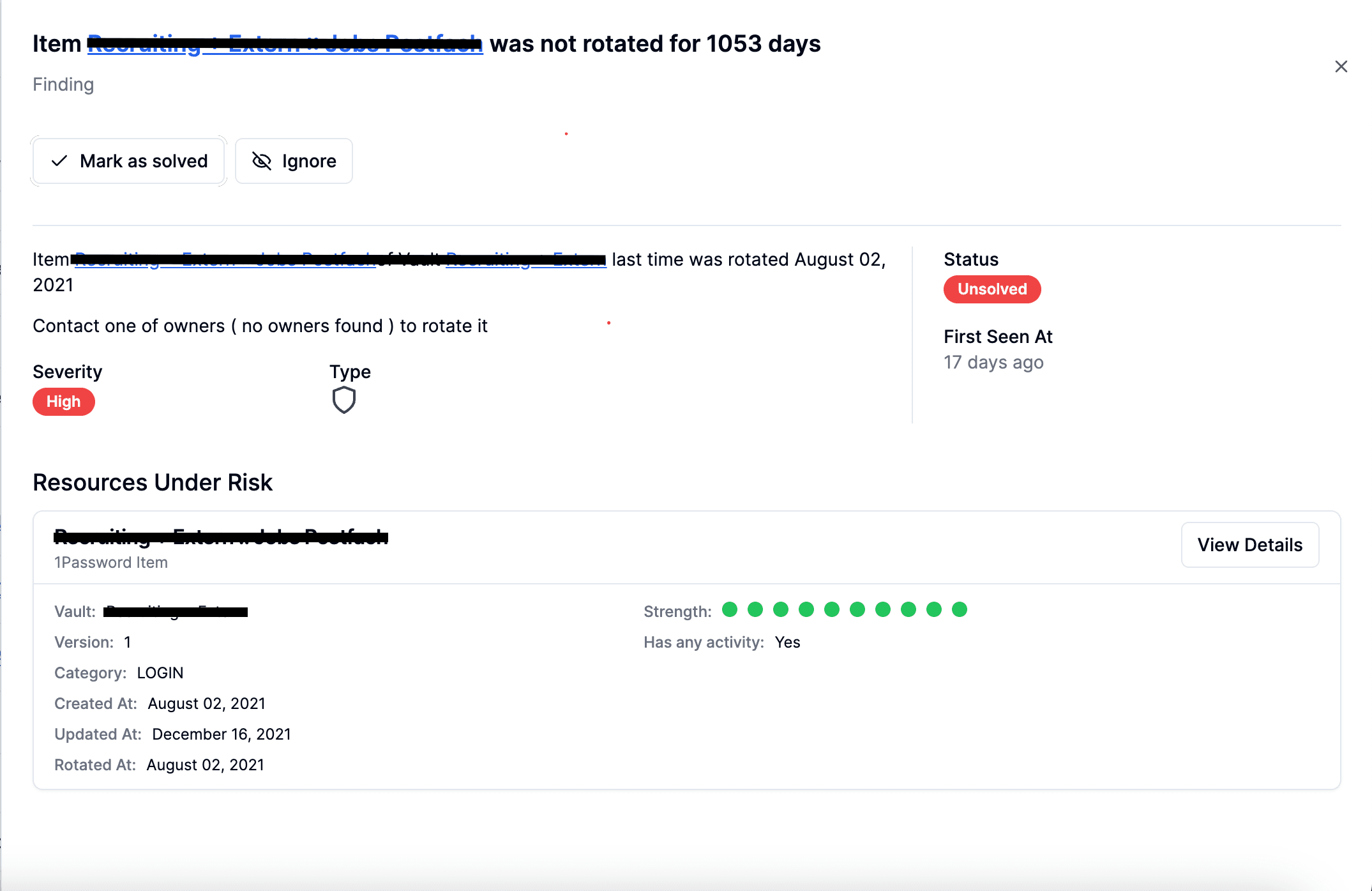
Clicking on any row in the table will open a detailed view of the finding, providing comprehensive information and allowing you to take specific actions. This view includes the following elements:
-
Finding Details: A detailed description of the finding, including the rule or policy that was violated. This section provides context and specifics about what was detected and why it is considered a vulnerability.
-
Severity: The severity level of the finding (e.g., High, Medium, Low). This helps prioritize which findings need immediate attention.
-
Type: The type of vulnerability or issue, indicated by an icon. This categorizes the nature of the finding (e.g., weak password, reused password).
-
Status: The current status of the finding, such as Unsolved or Solved. This helps track which findings have been addressed and which are still pending resolution.
-
First Seen At: The date and time when the finding was first detected. This information helps understand how long the vulnerability has been present.
-
Resources Under Risk: A list of resources affected by the finding. Each resource entry provides relevant details to understand the impact and scope of the vulnerability.
Actions
In the detailed finding view, you can perform the following actions to manage the finding:
- Mark as Solved: Mark the finding as resolved if the issue has been addressed.
- Ignore: Dismiss the finding if it is deemed irrelevant or a false positive.
Auto-Detection of Fixes
Gorilla automatically detects if a fix has been applied to a finding. When the system identifies that the underlying issue has been resolved, it will update the status of the finding to reflect that it is fixed. This feature ensures that you are always aware of the current status of vulnerabilities without having to manually check and update each finding.
This automation helps streamline the management of findings, ensuring that your security measures are up to date and that you can focus on unresolved issues.